crm assistfor Dynamics 365
Step-by-step guide · Dynamics 365
How to bulk edit Dynamics 365 opportunities: step by step
Need to change the same column on a stack of opportunities? Here is how to bulk edit them in Dynamics 365 Sales, why the Edit button sometimes isn't there, and how to skip the dialog entirely.
Try CRM Assist freeShow me the steps
- 6 steps
- 5 min read
- 14-day free trial, no card
- Updated 30 October 2026
✓ Saved to Dynamics 365
Dynamics 365 has a built-in bulk edit for model-driven apps, which includes Dynamics 365 Sales. You select several rows in a view, open one edit dialog, and whatever you change is saved on all of them. Microsoft calls opportunities "rows" in its newer help pages and "records" in older ones; they are the same thing.
Before you start
- The Bulk Edit privilege. Your administrator has to grant it in your security role. Without it, you won't see an Edit button when you select rows.
- A computer. Microsoft says you can't edit multiple rows in the Power Apps mobile app.
- Two or more rows selected. The bulk edit command works on a selection.
The steps
Open your opportunities
In your Dynamics 365 Sales app, open the Opportunities list.
Choose a view that holds the deals
Pick a view, or filter one, so the list shows just the deals you want to change. Bulk edit changes every row you select, so a tight view keeps you from touching the wrong deals.
Select two or more rows
Tick the checkboxes next to the opportunities.
Opportunity Stage Amount Close date Kestrel Foods Proposal 48,000 30 Nov Harbour Bank Negotiation 240,000 15 Dec Northwind Ltd Proposal 16,500 12 Nov Orbit Labs Qualified 9,800 20 Nov Three rows selected. (Illustration, not a screenshot.) Click Edit on the command bar
With the rows selected, choose Edit in the command bar above the list. A dialog titled Edit (number of rows) records opens.
Watch out. No Edit button? Your role is probably missing the Bulk Edit privilege, or only one row is selected. See "If it doesn't work" below.
Change the columns in the dialog
The dialog shows how many rows you are editing and opens the form you used last. Use the chevron to switch to another form, and the tabs to find the column you want. Type the new value. If you change a required column, it must contain data before you can save.
Tip. If a column isn't on the form, switch forms with the chevron. Some parts of a normal form, such as the timeline wall and quick view forms, are not available when editing several rows.
Save for all selected rows
Select Save. Microsoft's page says the saved changes apply to all the selected rows. Then check the view to confirm the new values are on every row.
If it doesn't work
There is no Edit button
Select at least two rows first. If it still isn't there, your security role probably lacks the Bulk Edit privilege; ask your Dynamics 365 administrator to grant it.
The column I want isn't in the dialog
The dialog uses a form. Use the chevron to switch to another form, or ask your admin to add the column to the form used for bulk edit.
I want to type straight into the list, cell by cell
That needs an editable grid. Microsoft's Power Apps grid control is not editable by default, and a maker has to set Enable editing to Yes. Ask your admin if it's an option for your views.
It doesn't work on my phone
Microsoft says you can't edit multiple rows in the Power Apps mobile app. Use a computer, or CRM Assist, which lets Dynamics 365 users who sign in with Microsoft update deals from a phone.
Or do it in CRM Assist (about 2 minutes to set up)
Sign in with Microsoft
Use the Microsoft account you already use for Dynamics 365. No extension is needed.
Approve CRM Assist if your company asks
If your company requires approval for new apps, a Microsoft admin approves CRM Assist once.
Edit your pipeline
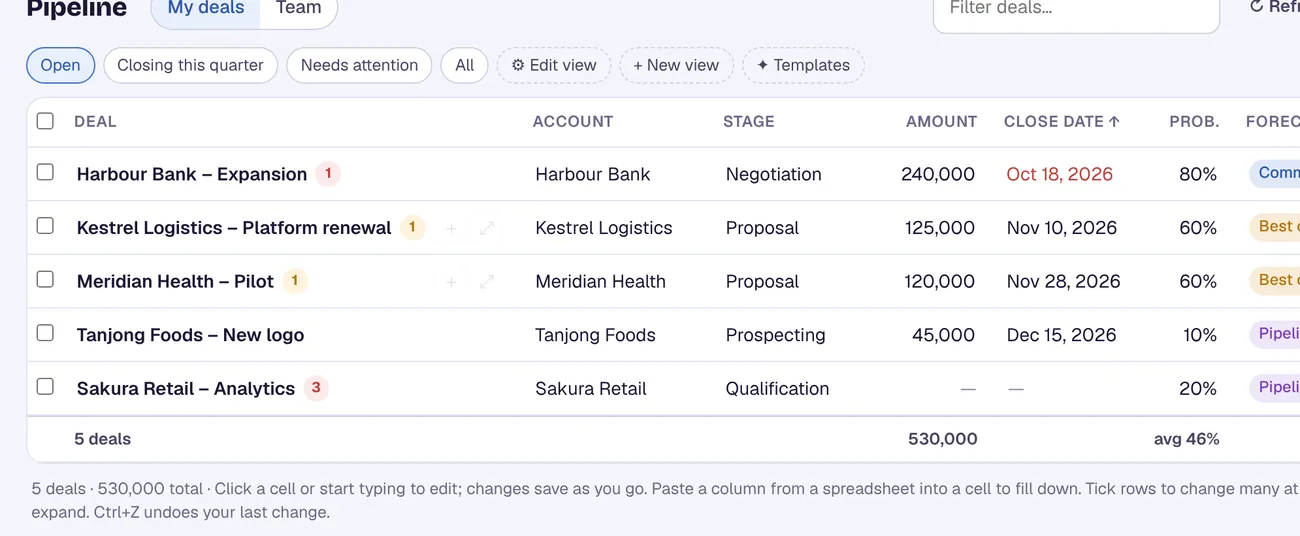
Your opportunities load from Dynamics 365. Click a cell and type, or paste a column of new close dates or stages from a spreadsheet.
CRM Assist works with your own permissions, and every change is saved straight to Dynamics 365. Nothing is installed in your Dynamics 365 environment.
More Dynamics 365 guides
Where these steps come from
Checked against the vendors' own help pages and other published guides on 30 October 2026. Menus and button labels change between releases, so if your screen differs, trust your screen and your admin.
Questions
How many records can I bulk edit at once in Dynamics 365?
The Microsoft page we checked doesn't state a maximum number of rows, so we can't give you a number. Start with small batches and check with your administrator.
Why is the Edit button missing?
Select two or more rows. If it's still missing, your security role is probably missing the Bulk Edit privilege, which your administrator can grant.
Is bulk edit the same as an editable grid?
No. Bulk edit opens a dialog that changes the same columns on every selected row. An editable grid lets you type directly in the cells of the list, and a maker has to turn that on.
Does CRM Assist need an admin to install anything in Dynamics 365?
No. You sign in with Microsoft. If your company requires approval for new apps, a Microsoft admin approves CRM Assist once.
crm assist
Edit Dynamics 365 at the speed of a spreadsheet.
CRM Assist puts your Dynamics 365 Sales pipeline in one fast, editable grid with an AI assistant on top. 14-day free trial, no credit card, then US$9.90 per user per month. Cancel any time.