
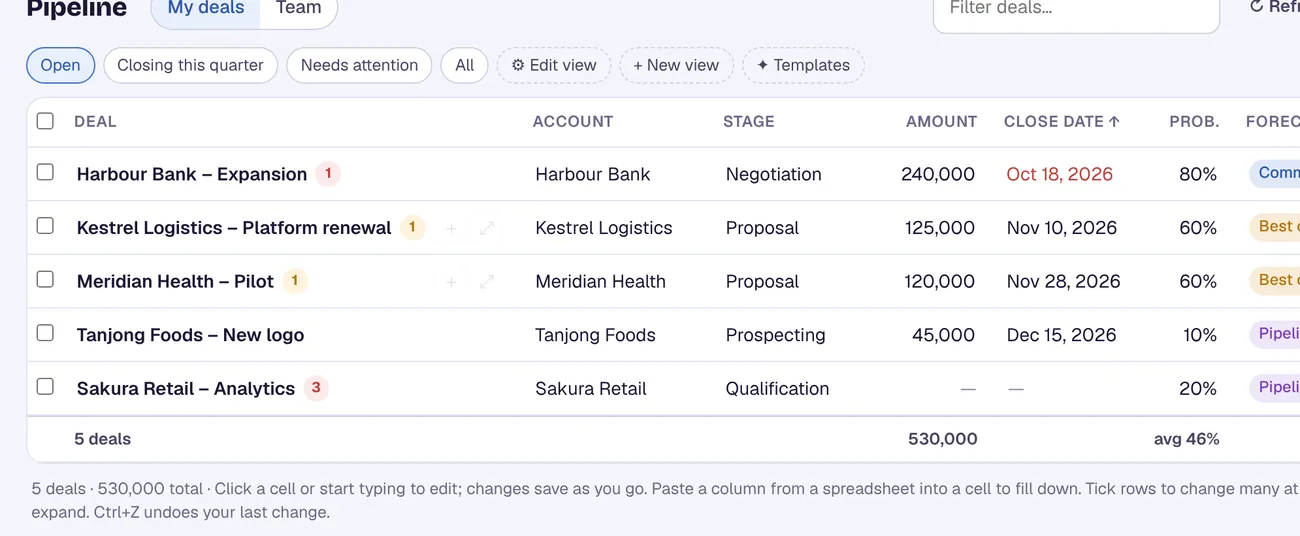
A pipeline you edit like a spreadsheet
Change stage, amount and close date right in the grid. Paste a column from a spreadsheet, update many deals at once, and undo with Ctrl+Z.
For Salesforce
CRM Assist puts your Salesforce pipeline on one fast screen. Edit deals like a spreadsheet, tell Meera what changed, and walk into every forecast call ready. Every change is saved straight to Salesforce.
14-day free trial, no credit card · then US$9.90 per user per month
Change stage, amount and close date right in the grid. Paste a column from a spreadsheet, update many deals at once, and undo with Ctrl+Z.
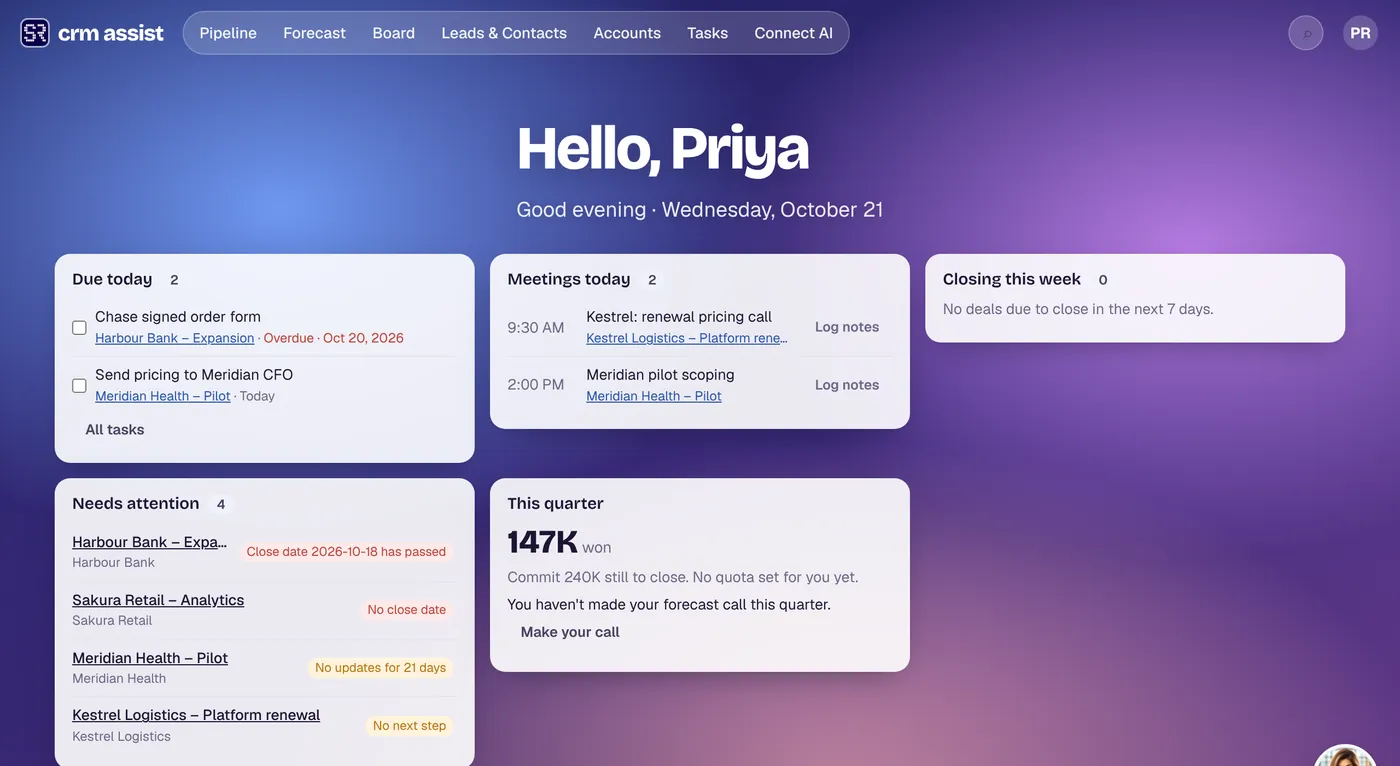
Tasks, meetings, deals closing this week and deals that need attention on one screen, with a search that finds any deal, account or contact as you type.
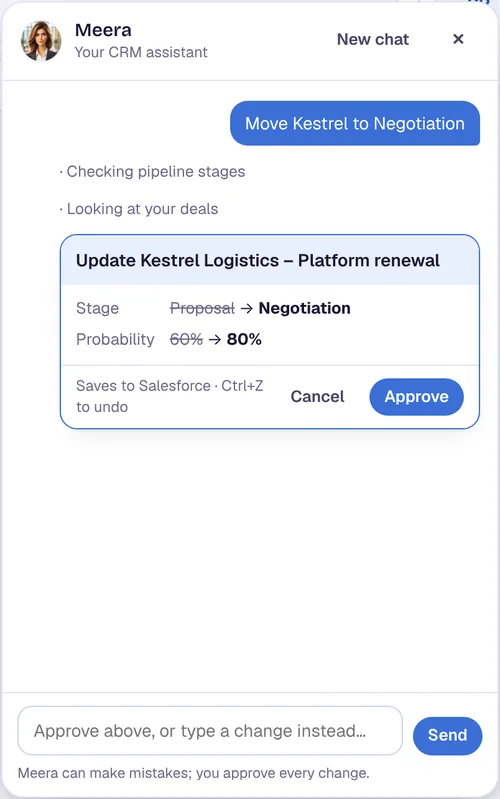
Type what changed in plain words. Meera proposes the update and nothing is saved until you approve it.
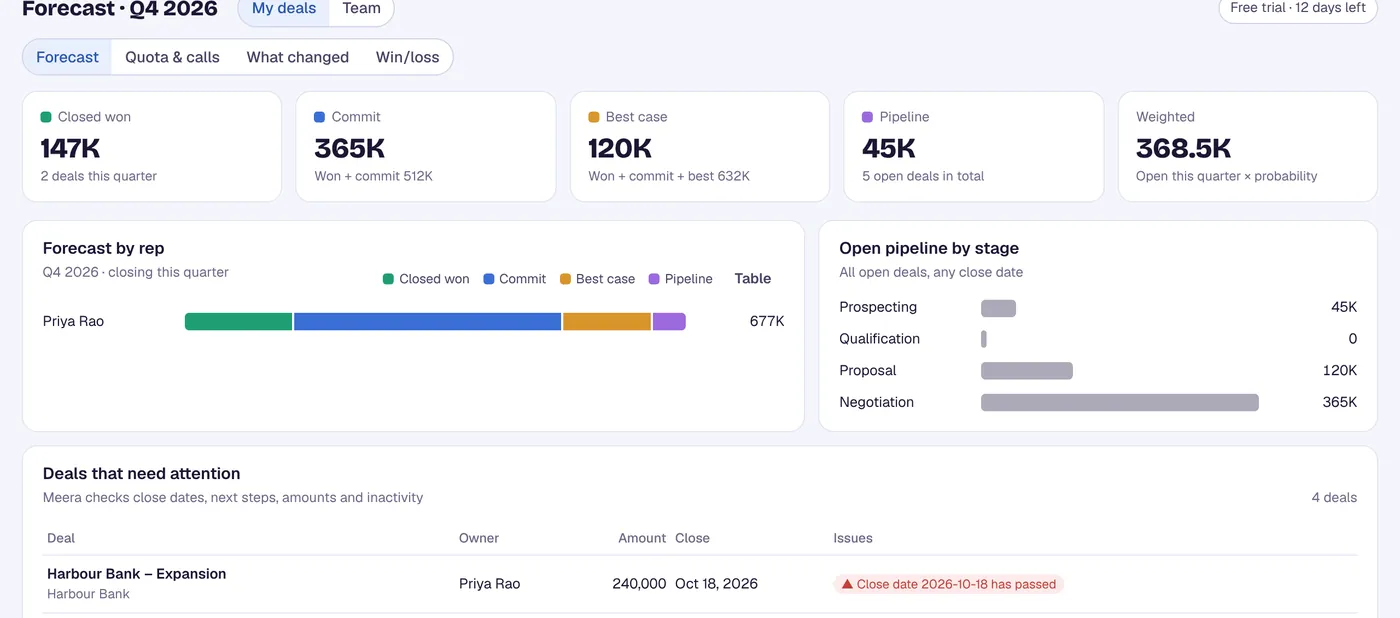
Forecast calls, quotas, what changed this week and win/loss for reps and managers.
On your phone: update deals and scan business cards, even without signal. Next time CRM Assist is open on your computer, you check the updates and save them to your CRM.
Requirement: your Salesforce user needs the "API Enabled" permission. Some Salesforce editions don't include API access, so check with your admin if sign-in fails.
Details, including what is stored and for how long, are on the Security page.
No. CRM Assist uses the Salesforce login you already have in Chrome through a browser extension. Your Salesforce user needs the "API Enabled" permission.
In Salesforce. Every change you make in CRM Assist is written straight to Salesforce. The Security page explains the small amount of data CRM Assist itself keeps.
No. Meera proposes each change and nothing is saved until you approve it.
A 14-day free trial with no credit card, then US$9.90 per user per month. Cancel any time.
14-day free trial, no credit card. Then US$9.90 per user per month. Cancel any time.